How to Import Leads into Pipeline
Last updated: March 17, 2025
Where
In the left sidebar, click on
Prospecting
In the top right, click on the
Import Databutton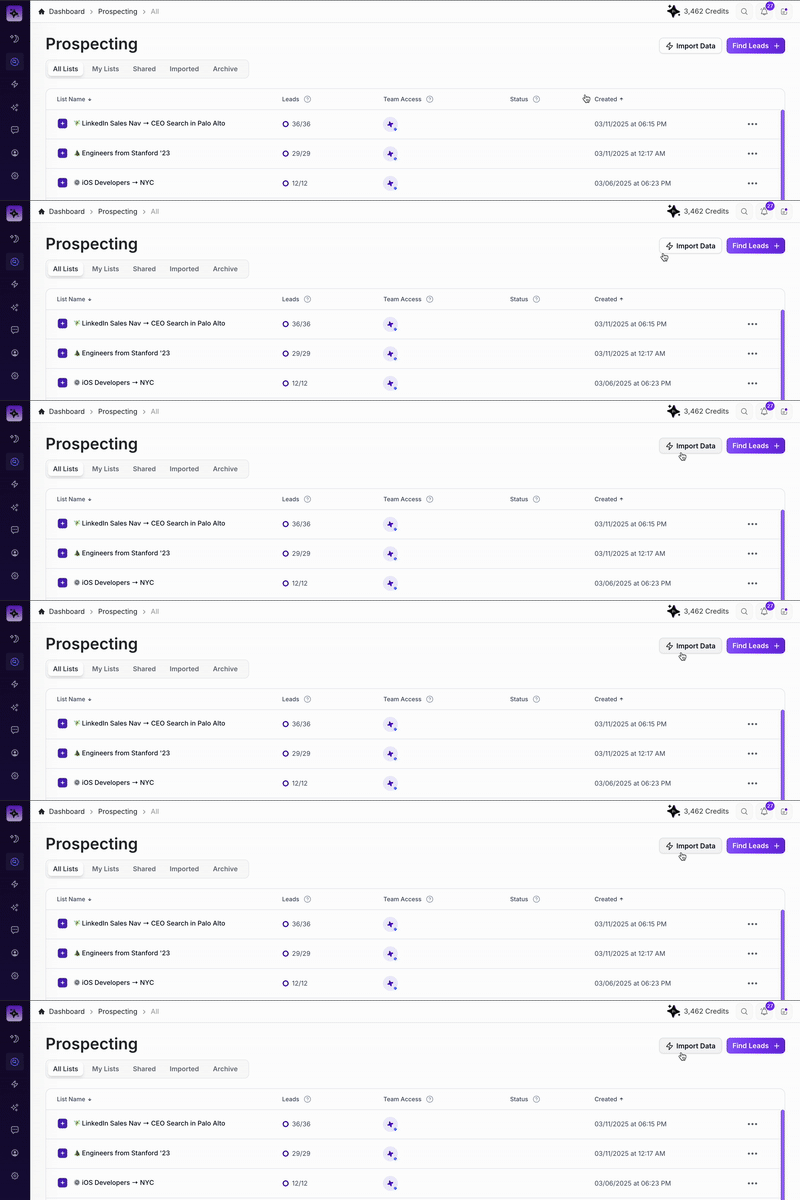
Import Data Button Location
Importing Data to Pipeline
Pipeline offers several convenient import methods designed to streamline your lead generation and enrichment processes. This article explains each import method, their intended use cases, and specific limitations.
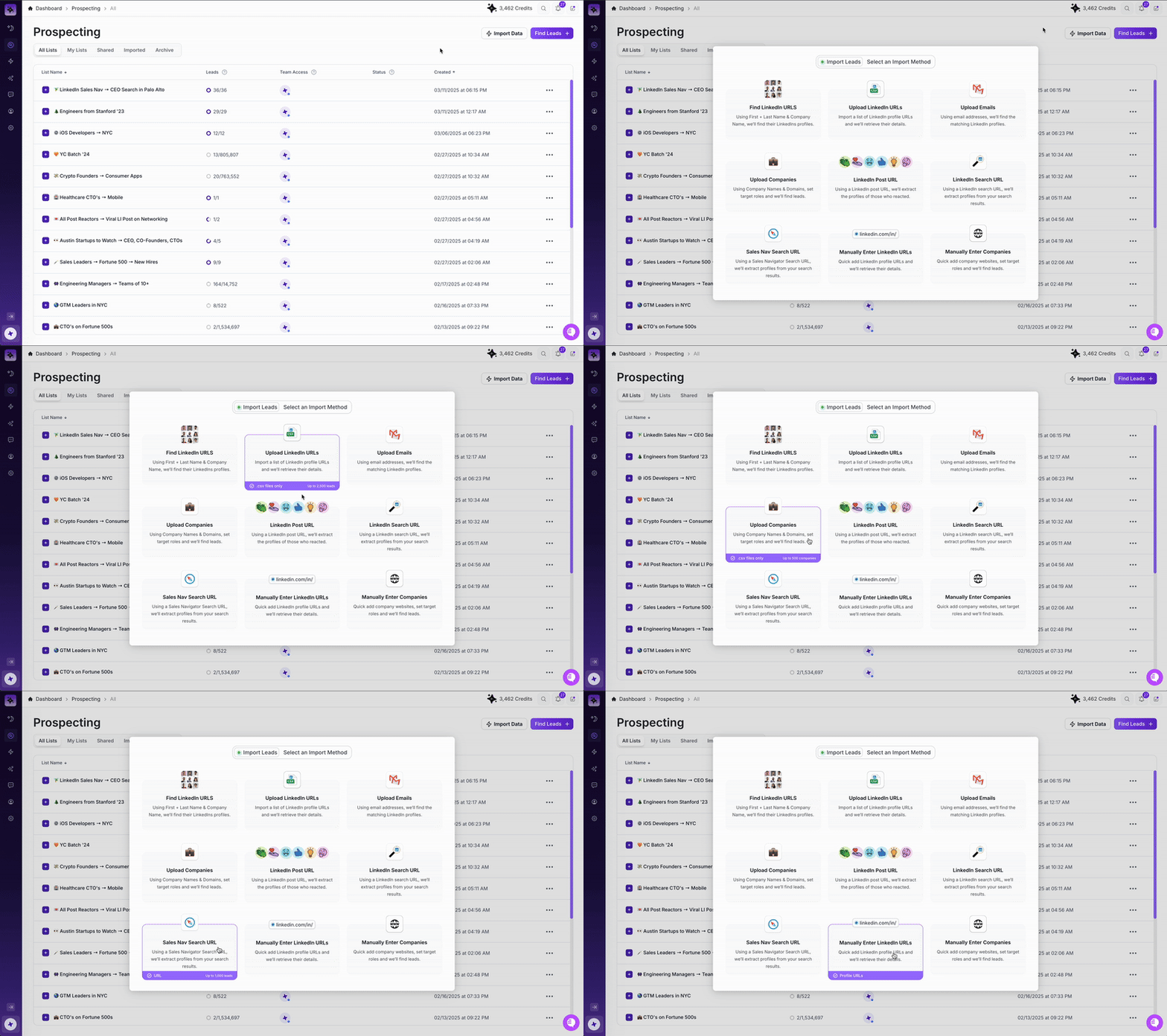
Import Data Types
🔍 Find LinkedIn URLs
Use Case: Ideal when you have a list of contacts but need their LinkedIn profiles.
Limits and Requirements:
You'll need a CSV of: First Name, Last Name, and Company Name.
Import up to 2,500 leads per upload.
Enrich as many leads as your credit balance allows (up to the 2,500 max).
📄 Upload CSV of LinkedIn URLs
Use Case: Perfect when you already have LinkedIn profile URLs.
Limits and Requirements:
You'll need a CSV of: LinkedIn profile URLs.
Import up to 2,500 leads per upload.
Enrich as many leads as your credits allow (up to the 2,500 max).
📧 Upload CSV of Emails
Use Case: Great when starting with email addresses and needing matching LinkedIn profiles.
Limits and Requirements:
You'll need: Email addresses.
Import up to 2,500 leads per upload.
Enrich as many leads as your credits permit (up to the 2,500 max).
🏢 Upload CSV of Companies
Use Case: Target specific roles within companies by using company names or domains.
Limits and Requirements:
You'll need a CSV of: Company Names or Domains.
Import up to 500 companies per upload.
Enrich leads within these companies based on available credits.
🔗 Import LinkedIn Search URL
Use Case: Pull leads directly from LinkedIn search results.
Limits and Requirements:
You'll need: LinkedIn Search URL.
Import up to 1,000 leads per upload.
Enrich as many leads as your credits permit (up to the 1,000 max).
👍 Import LinkedIn Post URL
Use Case: Capture all reactions from a LinkedIn post.
Limits and Requirements:
You'll need: LinkedIn Post URL.
Import the full set of reactions.
Enrich leads based on your available credits, no maximum.
🚀 Sales Navigator Search URL
Use Case: Ideal for Sales Navigator users extracting specific search results.
Limits and Requirements:
You'll need: Sales Navigator Search URL.
Import up to 1,000 leads per upload.
Enrich as many leads as your credit balance permits (up to the 1,000 max).
💡 Importing Tips
Always double-check your credit balance before importing large batches.
Ensure your CSV files are formatted correctly for smooth uploads.
Consider splitting larger imports into smaller groups to simplify the process.
Happy importing! 🚀😊